Win95 Mode
A downloadable app for Android
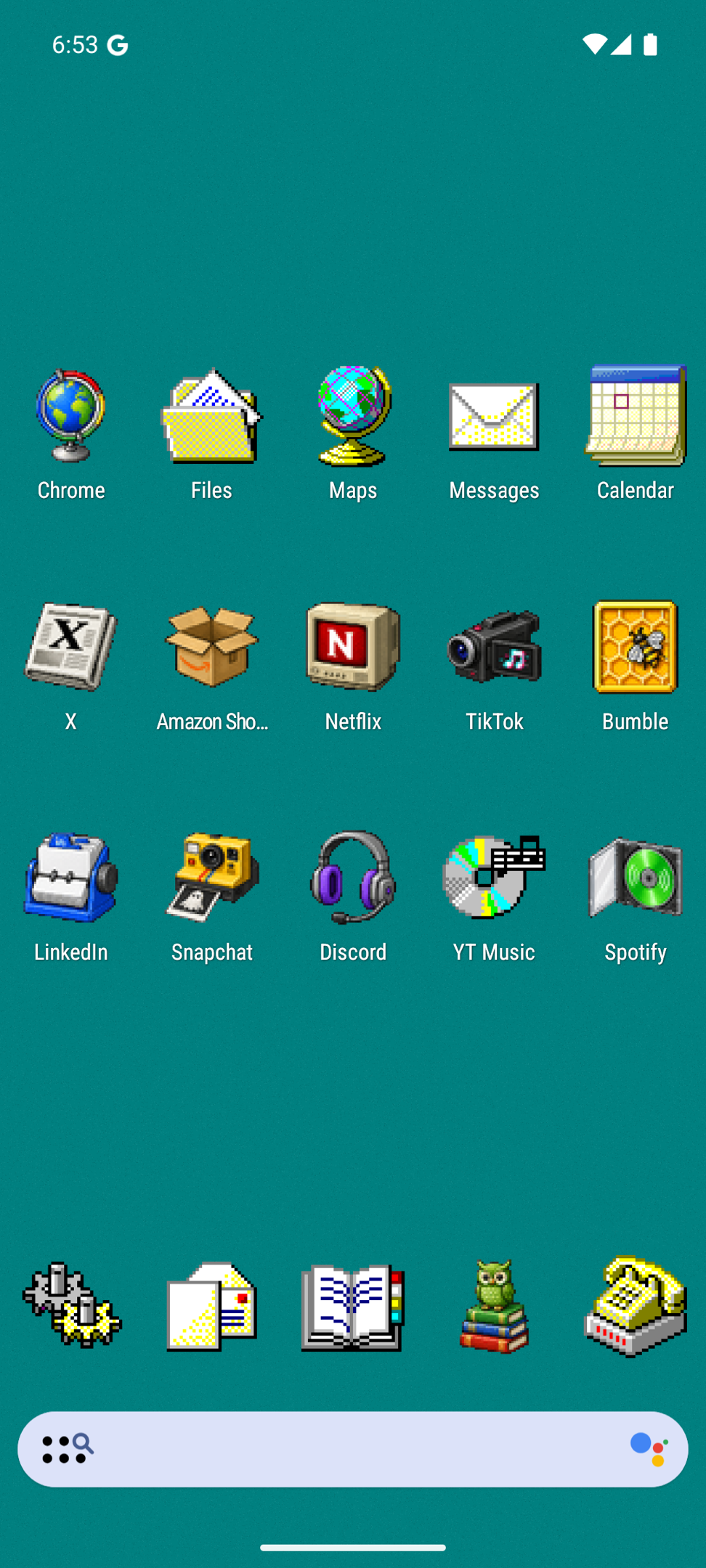
Win95 Mode is a Windows 95 icon pack and wallpaper manager for Android, written in native Kotlin. Beveled borders, 3D buttons, MS Sans Serif, and a home screen that boots straight into 1995.
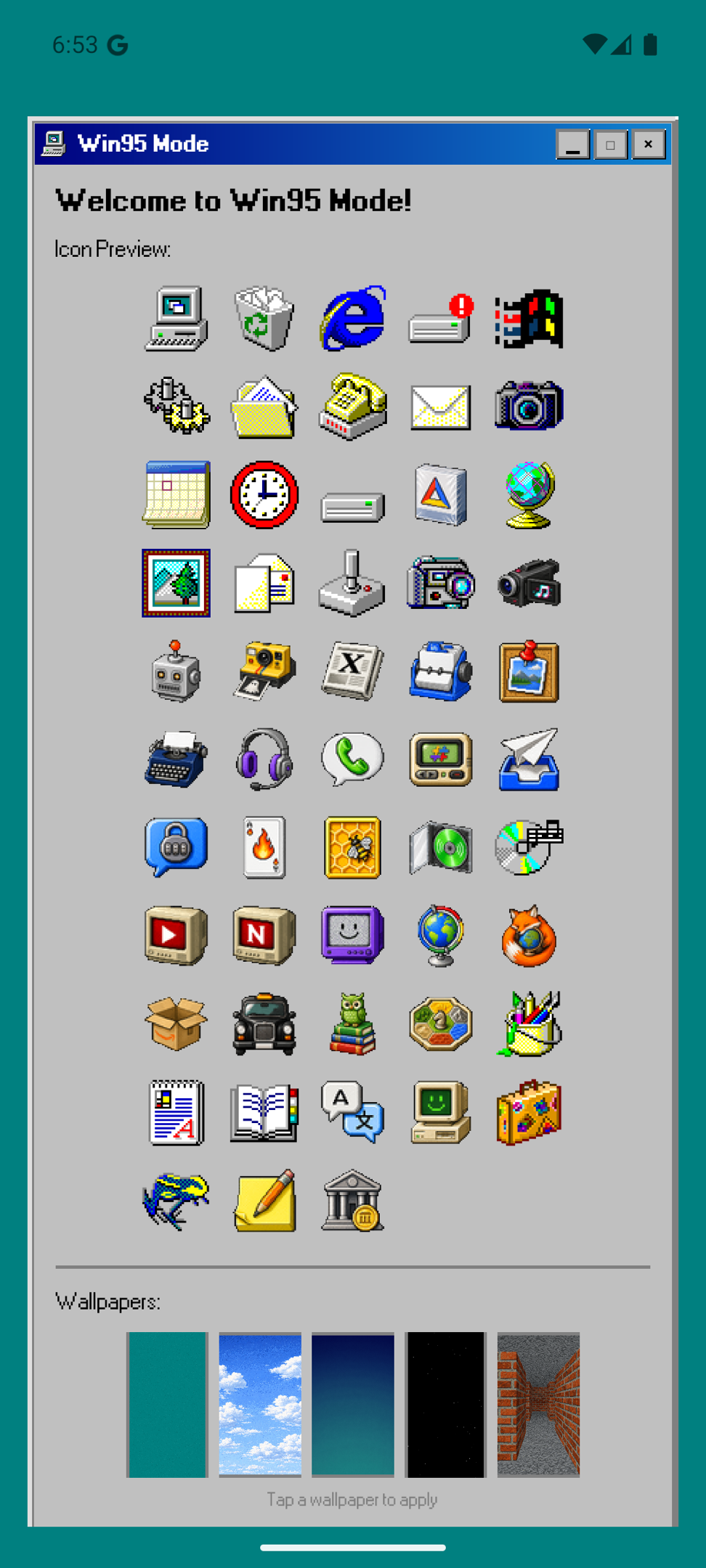
Every icon is a real Win95-style object, not a pixelated modern logo. Netflix is a CRT television. Amazon is a cardboard box. TikTok is a camcorder. Apps without a themed icon get a beveled plaque so the whole screen stays coherent.
Features
- 50+ icons in the classic style
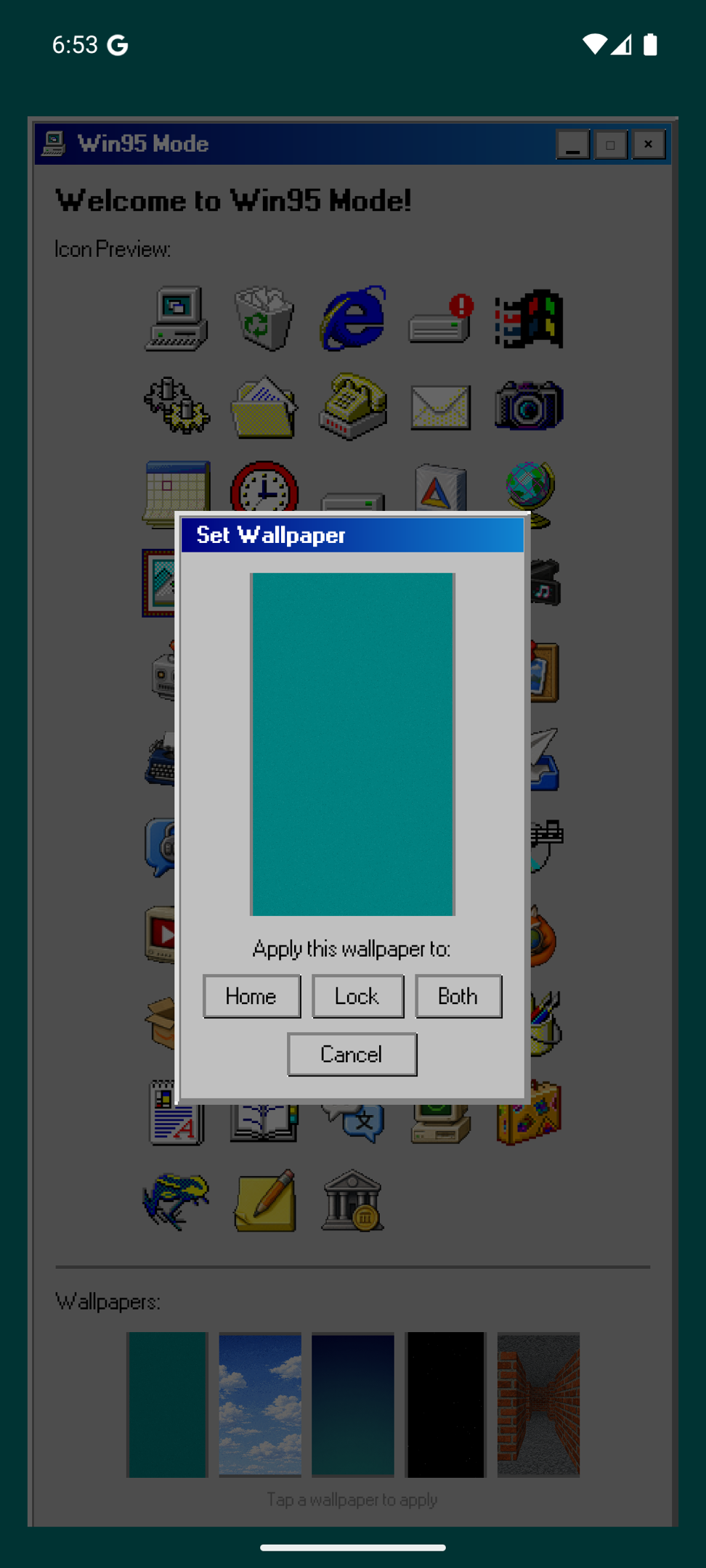
- Classic wallpapers (teal, clouds, setup, stars, matrix) for home and lock screen
- Works with Nova, Lawnchair, Action, Apex, Smart Launcher, and anything else that speaks the standard icon pack formats
Install
1. Download the APK and install it
2. Open your launcher's settings and find Icon Pack or Theme
3. Pick Win95 Mode
4. Set a wallpaper from the app for the full effect
Origin story
I built a Windows 95 desktop as my portfolio (https://sindriax.dev). A desktop metaphor looked weird on a phone, so I designed the mobile view as a Win95 homescreen instead. Then I liked it more than my actual home screen, and that felt like a solvable problem. This app is that homescreen, escaped from the browser.
Requires Android 7.0 or newer. Source on GitHub: https://github.com/sindriax/win95-mode
Download
Install instructions
Android will warn you about installing apps from outside the Play Store. That is normal for a direct APK: open the downloaded file, allow the install when prompted, and you are done.
After installing:
1. Open your launcher's settings and find Icon Pack or Theme
2. Pick Win95 Mode
3. Set a wallpaper from the app for the full effect
Heads up: most stock launchers (Pixel Launcher, Samsung One UI) do not support icon packs. Nova Launcher and Lawnchair are free and both work great with Win95 Mode.
Requires Android 7.0 or newer.
Leave a comment
Log in with itch.io to leave a comment.